 Cherry
Two PENGU listings, two tokens. How to check a Solana mint address
Two real Pudgy Penguins listings look alike. The mint address shows which Solana token each chart tracks.
You see PENGU in a callout and pull up a chart. Then a second Pudgy Penguins listing turns up on Solana. Would you know which chart the author was looking at?
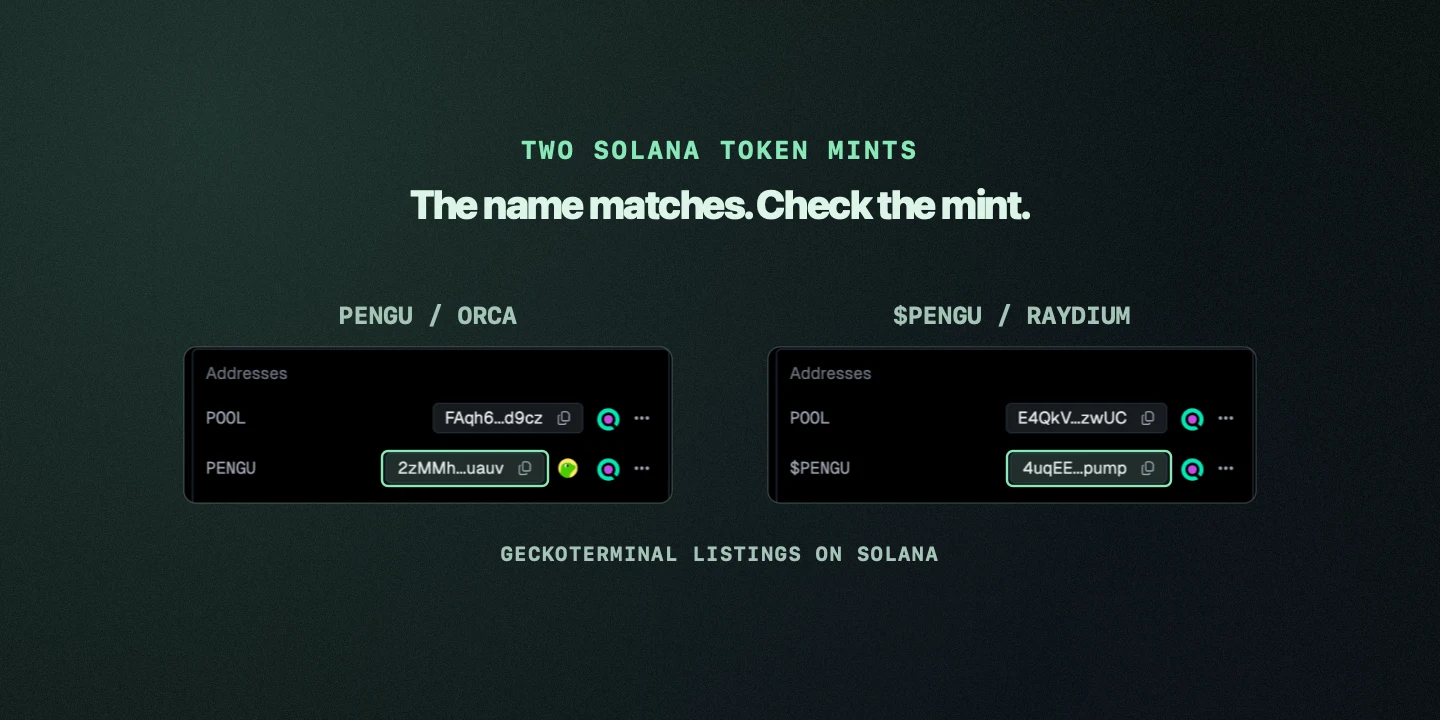
In two GeckoTerminal listings captured on November 17, 2026, the Pudgy Penguins name appeared on both pages. One listed PENGU on Orca. The other listed $PENGU on Raydium. The detail that settles the question sits in the address panel. Orca listing · Raydium listing
A real example with two PENGU listings
| GeckoTerminal listing | Token mint shown | Pool address shown |
|---|---|---|
| PENGU/SOL on Orca | 2zMMh…uauv |
FAqh6…d9cz |
| $PENGU/SOL on Raydium | 4uqEE…pump |
E4QkV…zwUC |
The token mints differ, so the two charts track different tokens. Names and symbols are labels. On Solana, the mint account address identifies the token. A pool has its own address and identifies a specific venue for swapping the paired assets. The same mint can appear in several pools, each with its own chart and trading activity. Solana token documentation
How to verify the mint from a callout
- Open the token linked by the original callout. Copy the full mint from the token page or an official project source.
- Confirm the chain. On the chart page, open Addresses and find the row for the token being discussed. A PENGU/SOL page can list separate addresses for the pool, PENGU, SOL, and a developer.
- Compare the full mint character for character. Dashboard previews shorten addresses, so use the copy button or open the address in an explorer.
- Once the mint matches, check which pool and quote currency the chart uses. For a screenshot, match the timestamp or candle window as well.
If the callout gives you only a ticker, you still need its token link or mint to identify the chart the author meant. Save the full mint with the post so you can find the same token later.
Use the same check when reading a FOMO thesis
Open the token attached to the thesis and compare its mint to the chart you have open. A thesis can describe a particular trade with a price and time. Matching the token and pool gives you the right chart to read alongside the post. Where to find Pump.fun Callouts and FOMO Theses
Once you have the right chart, the next question is which stretch of time the post is showing. How crypto chart timeframes change the percentage move